The short answer
On the Battle Barge, switch to Operations, visit the Armouring Hall alone and open the class/loadout screen. Look for the Battle Simulator, also called the Practice Arena in Focus’s preview. Inside, choose the enemy and difficulty before recording your first result.
Do this first
- Use the mission terminal to switch to Operations if you are on the campaign barge. Start from a solo squad.
- In the Armouring Hall, select the class you want to practise. Players locate the simulator entry on the class/loadout screen alongside the Trials option.
- Choose the enemy and difficulty in the simulator. Equip your first setup and note the exact perk selection.
- Run the same encounter with the second setup. The display shown by Focus includes total damage and damage per second.
Only seeing appearance and weapon menus?
The mission terminal gets you into the right mode. The actual practice entry is in the Armouring Hall. Back up from the weapon variant or appearance page to the class screen. Players describe separate controls there for Trials and the practice arena. Focus demonstrates the feature in solo play, so leave your squad before looking for the same entry.
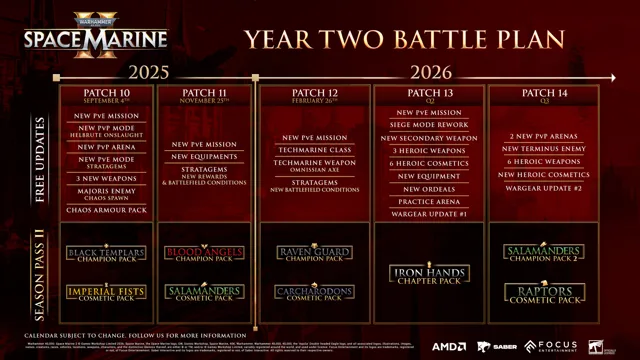
Use the publisher video below to recognise the arena and its settings. The preview uses the name Practice Arena. Battle Simulator is the name in the final 13.0 notes.
A comparison you can repeat
Suppose you want to know whether a weapon perk helps your usual burst against one target. Choose one enemy and a difficulty that lets it survive long enough to read the display. Stand at the same floor marking, begin with the same ammo and use the same sequence. Save the total damage and damage per second for that attempt.
Change the perk, then repeat from the same spot. Inspect the class perks before the second attempt: Patch 13 linked perk loadouts to weapon loadouts, so swapping an entire preset can also swap another setting. If one run includes a missed shot or a different hit location, mark it and repeat. That observation is more informative than keeping the larger number.
Give each run one question
| Question | Keep the comparison fair |
|---|---|
| Does this perk activate? | Repeat the same action once with its trigger and once without it. |
| Does the change help my burst? | Use the same target, distance, difficulty and number of attacks. |
| How does it feel against a group? | Save that for a new comparison using the same enemy mix for both setups. |
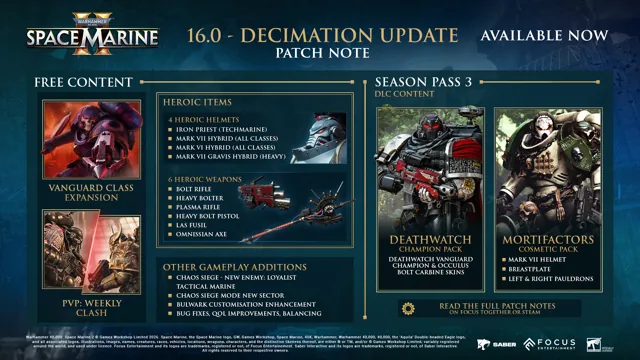
For a returning Vanguard, the 16.0 perk guide identifies which triggers moved. Use that list to choose one interaction for the next visit.
Common questions
Can I bring my friend to perform a team test?
Focus describes this practice area as solo. To practise a routine with a friend, use a private Operations session.
Which number should I compare?
Total damage answers how much one sequence dealt. Damage per second also depends on how long you took. Record both when a perk changes the pacing of the sequence.
Sources & scope
Reviewed 28 November 2026. Game rules are drawn from the publisher and support sources below. Suggested checks are editorial guidance. We have not tested these steps in game.